
Find out · · 2 min read
KakaoMap API Not Working — The Activation Trap
In this post
Got my KakaoMap API key, followed the guide, pasted the code — doesn't work. The error? kakao is not defined. That's it. No clues whatsoever.
Here's the answer: the KakaoMap activation setting was turned off.
The Fix (30 Seconds)
Go to Kakao Developers > My App > Product Settings > KakaoMap > Activation Settings and flip the status from Off → On. It'll start working instantly.
That's literally it.
How I Found Out
I've been building a community called Clawers for claw machine enthusiasts, and the map feature — arguably the most important part — just wouldn't work.
I'd chosen KakaoMap, got my API key all set up, plugged it in — and all I got was kakao is not defined. I even copy-pasted the error into Claude Code and asked for help, but it was no use. The error just wouldn't go away.
Right when I was about to give up and switch to Google Maps, I searched Google directly. I finally found the answer, and it was absurdly simple.
I found it through a comment on Inflearn (a Korean dev forum).
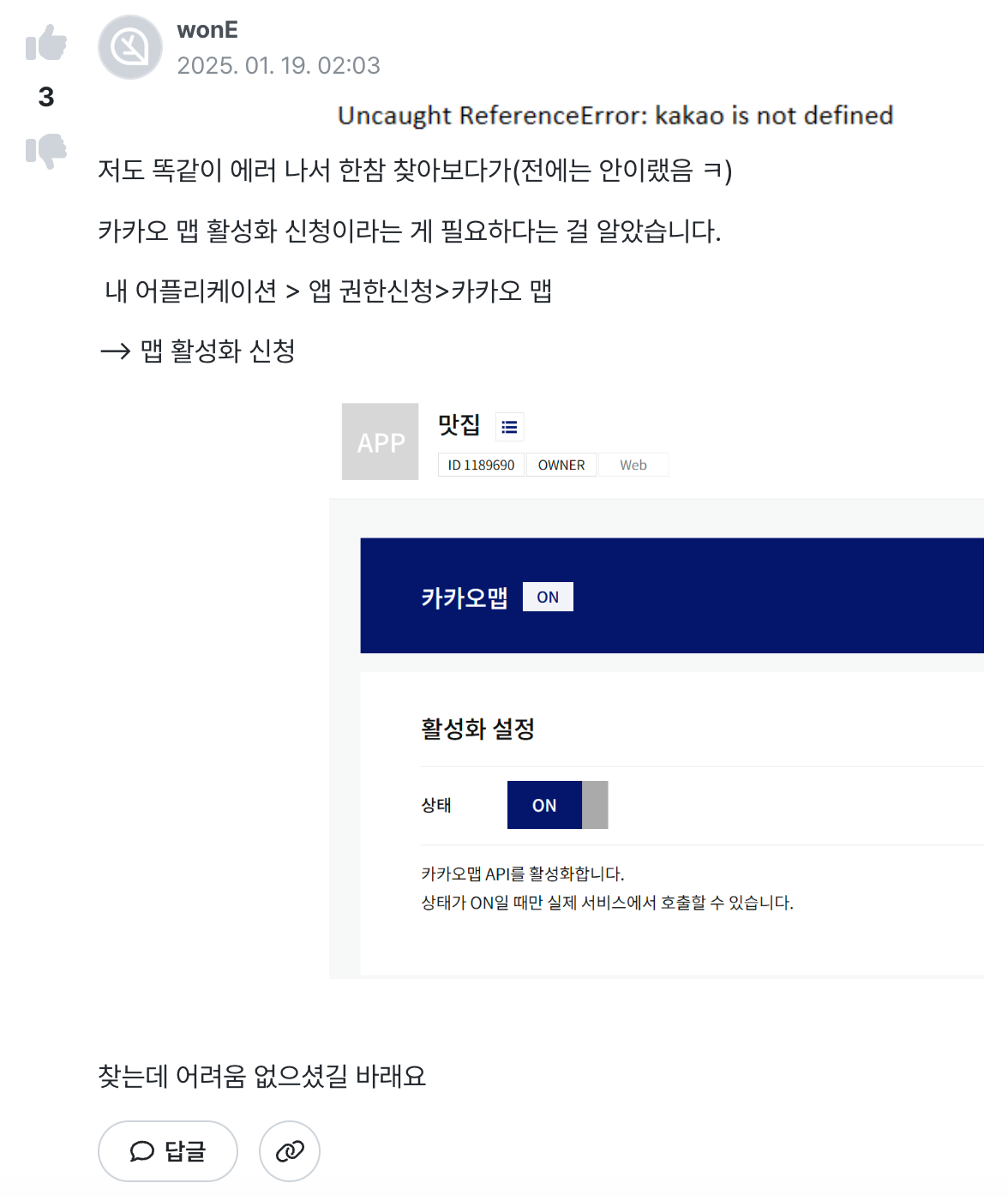
The Real Problem: It's Not in the Guide
Looking at comments saying "this wasn't required before," it seems like Kakao intentionally added this step at some point. Which is fine — but the official guide doesn't mention this setting at all.
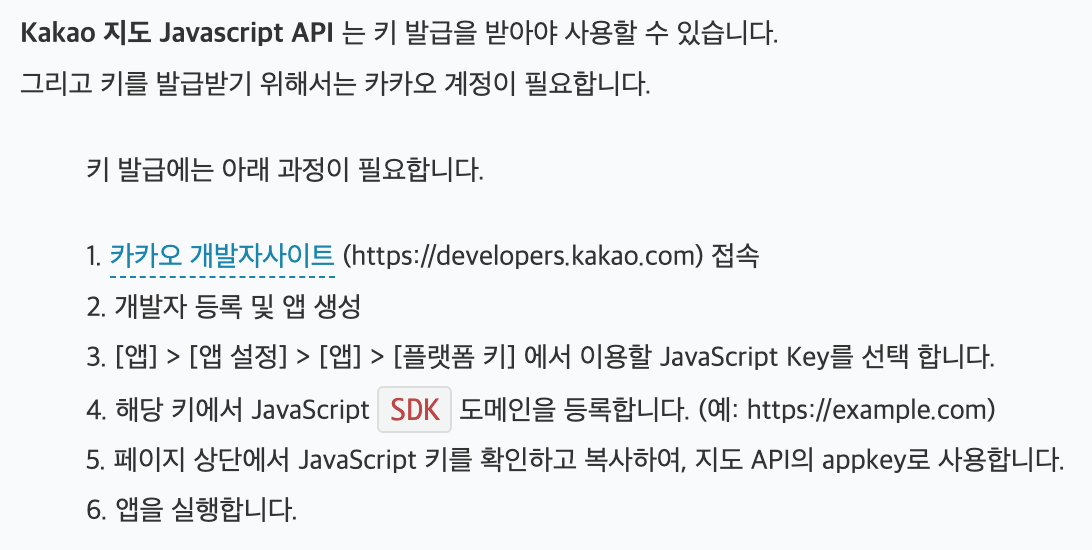
The guide just walks you through getting your API key. And the error message gives you zero hints, so it's incredibly frustrating.
Especially Dangerous When Vibe Coding
You know how everyone's doing vibe coding these days — asking AI to write code for them? This is exactly the kind of trap that catches you. AI answers based on official documentation, and since this setting isn't documented, it'll never find it for you. I kept asking Claude and got nowhere.
I hope this post shows up in search results so at least one person doesn't waste hours on the same problem.